
Starter
For a single café, cloud kitchen or quick-service counter.
₹666/ month
Billed ₹7,990 a year · save ₹1,598
Start free trial- 1 branch
- Up to 5 staff logins
- Every module included
- GST invoices and day-end reports

OREXA POS
Powering Every Restaurant.
Built for Indian restaurants · GST-ready
Billing, kitchen tickets, tables, stock and accounts — connected live, so the counter, the kitchen and the back office never disagree.
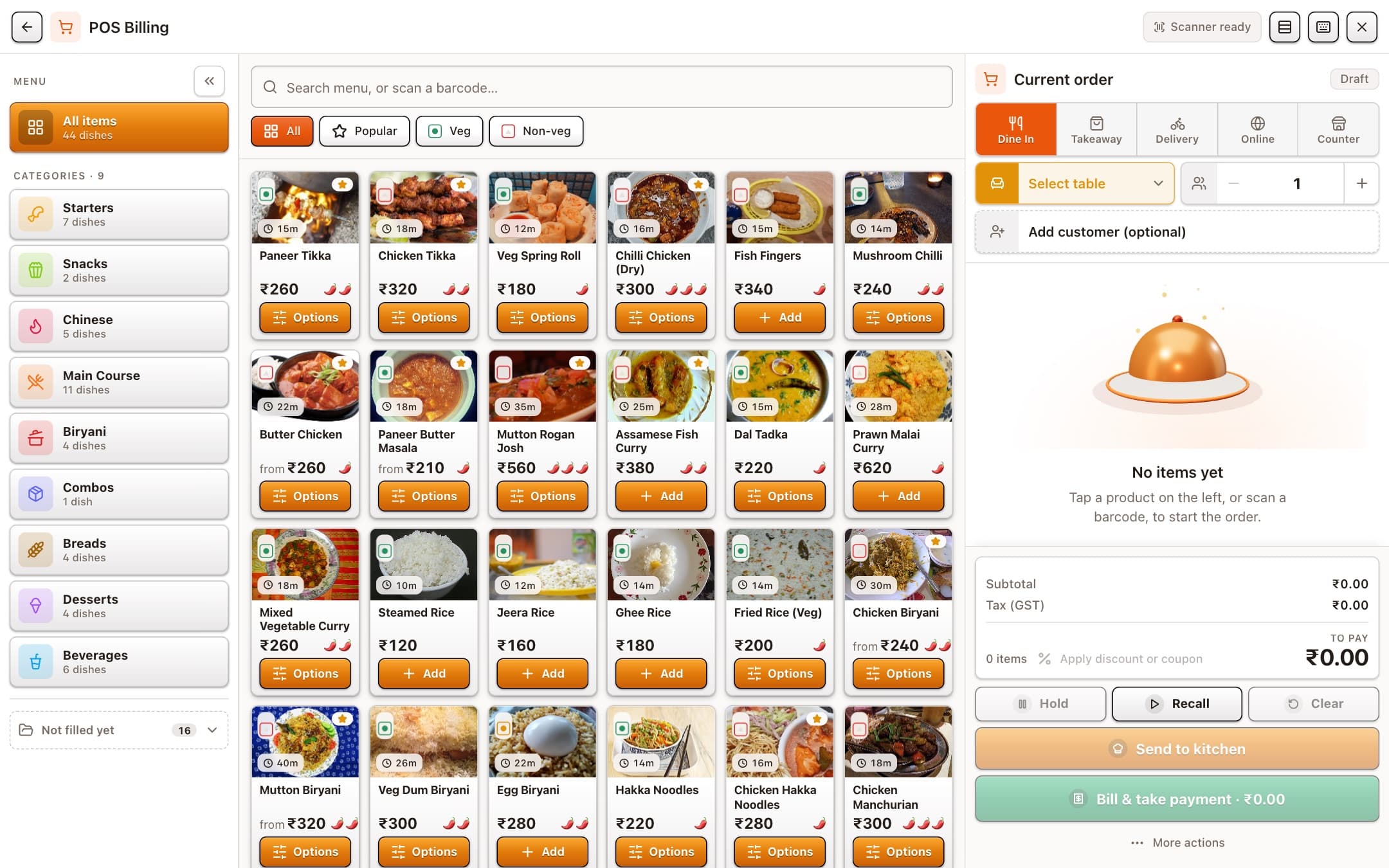
Everything in one system
An order taken on a phone shows up on the kitchen screen, the table tile and the day’s report the moment it is placed. Nothing is typed twice.
Tables
Colour tells you where each table is — free, ordering, cooking, eating, waiting to pay — with the running bill and how long they have been seated.
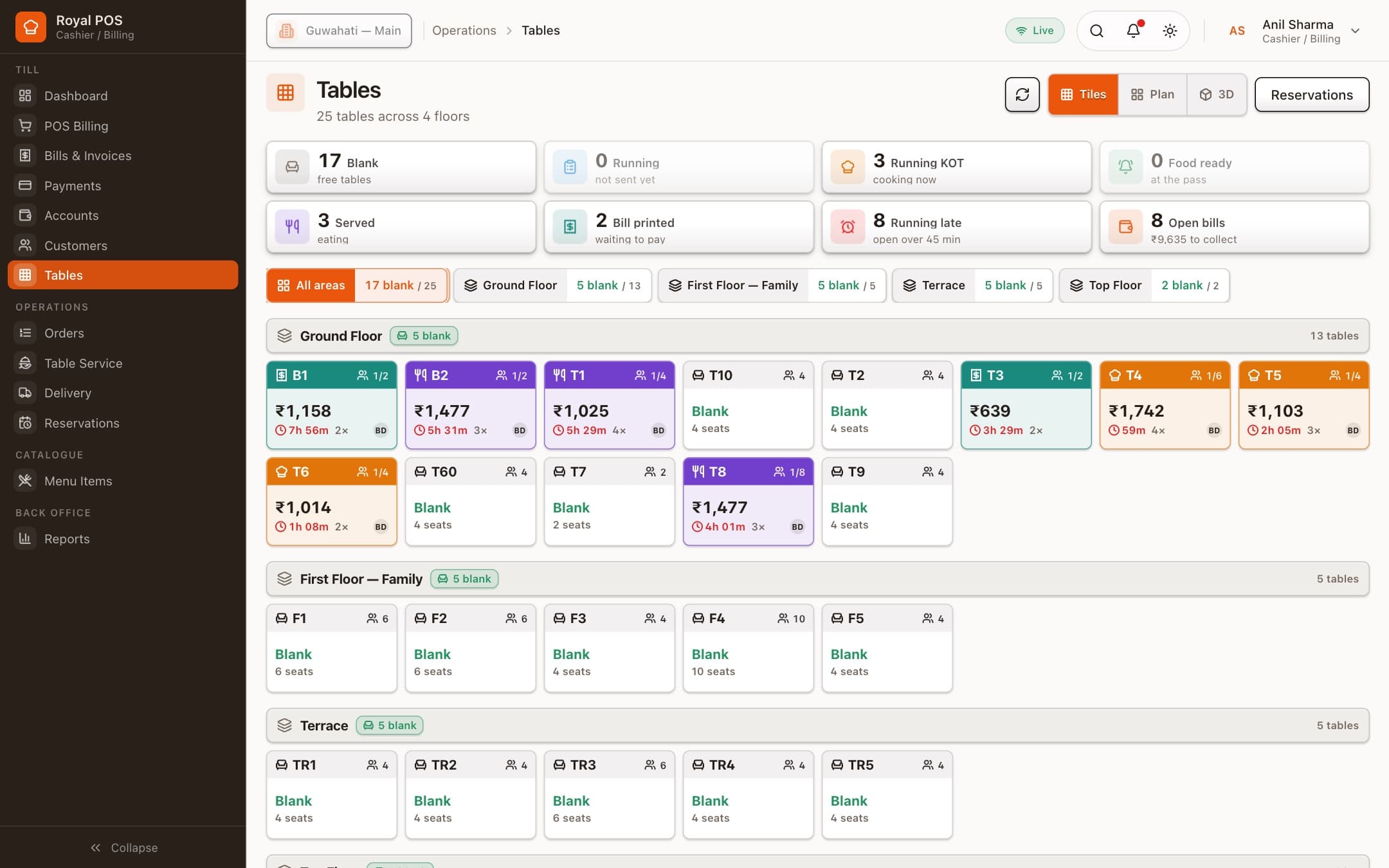
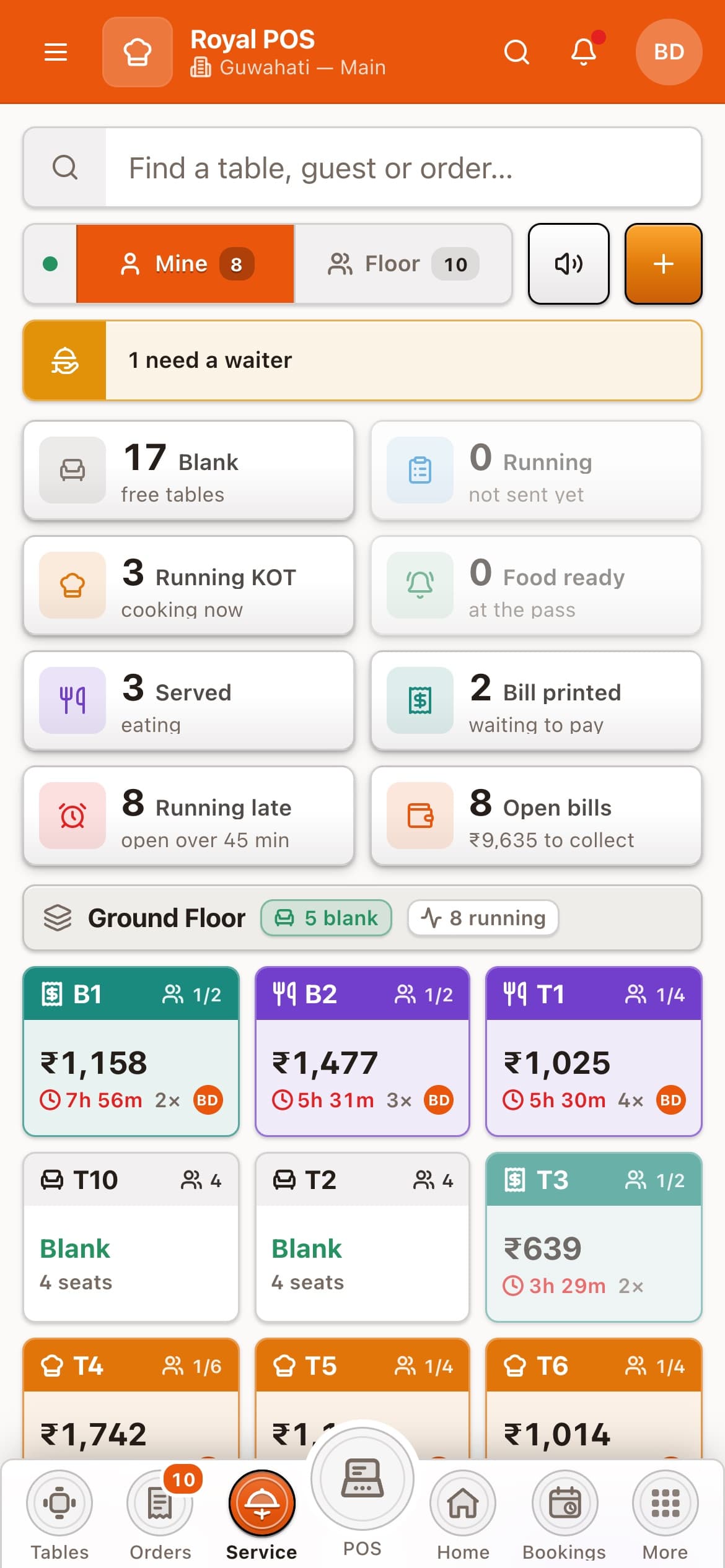
Table service
The order goes to the kitchen from the table. When a dish is ready, the waiter who took it gets the alert — nobody walks to the pass to ask.
Reports
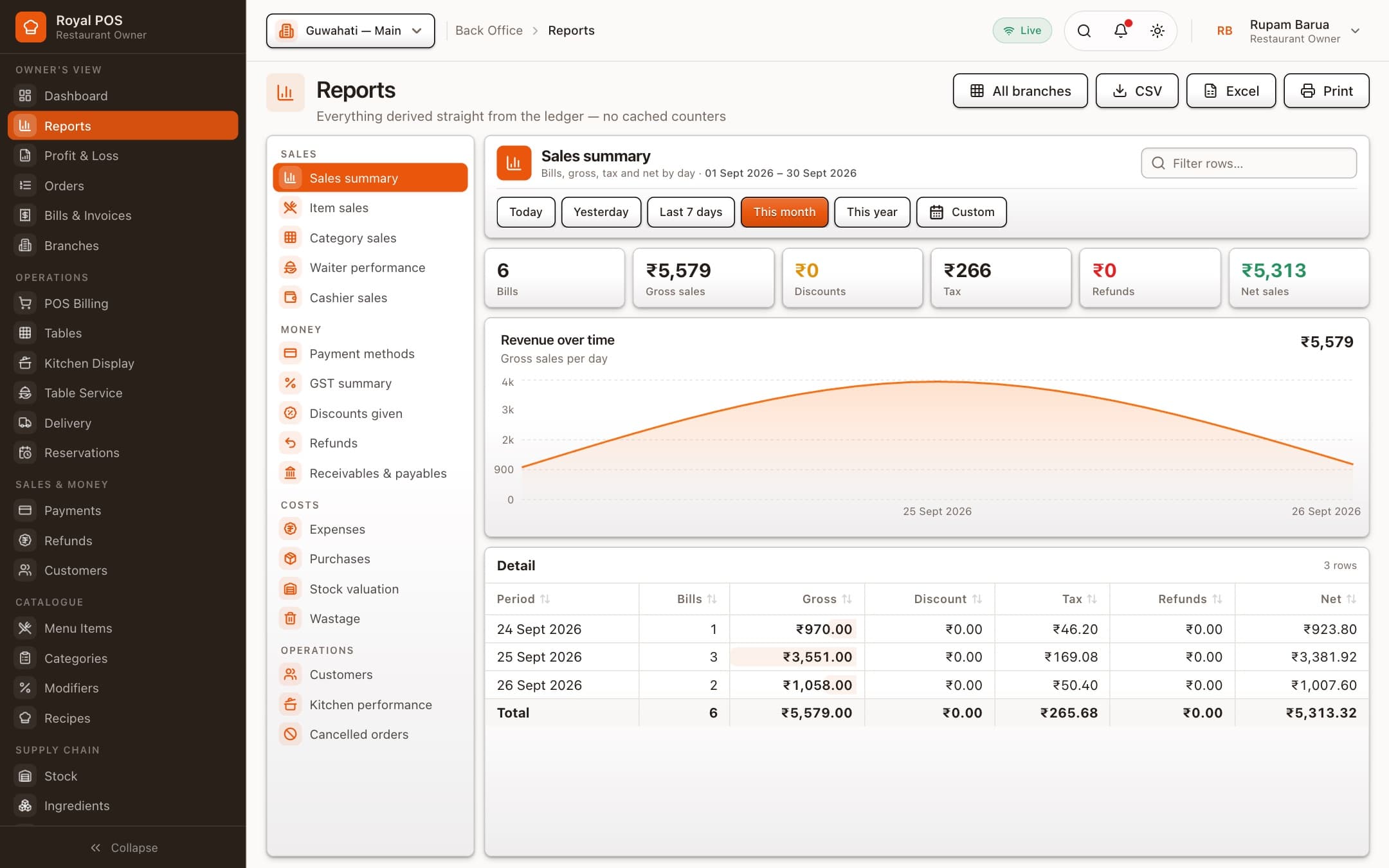
Sales, item and category sales, waiter and cashier performance, GST summary, expenses and profit & loss — straight from the bills, for one branch or all of them.
Live on every screen
Counter, kitchen and phones update the moment something changes.
Counter hardware
Thermal printers (80 mm, 58 mm), A4 invoices and barcode scanners.
Kitchen timers
Tickets turn amber, then red, when a dish runs past its time.
Roles and audit log
Each login sees only its job. Discounts, cancellations and refunds are recorded.
How it works
Register your restaurant
Choose a plan, enter your restaurant and state. Your branch, GST tax groups, kitchen station and a starter floor of tables are set up for you.
Add your menu and staff
Add dishes with photos, variants and add-ons, then give each waiter, cashier and cook their own login.
Start billing
Open the POS on the counter, the kitchen display in the kitchen and table service on phones. That’s it.
Pricing
Pay by the month, or by the year and get two months free. Plans differ only in branches, staff logins and support.
Every plan starts with a 14-day free trial. No card needed. Prices exclude 18% GST.
For a single café, cloud kitchen or quick-service counter.
Billed ₹7,990 a year · save ₹1,598
Start free trialFor a busy dine-in restaurant with a full floor team.
Billed ₹14,990 a year · save ₹2,998
Start free trialFor chains that run several outlets from one office.
Billed ₹29,990 a year · save ₹5,998
Start free trialQuestions
No. Register your restaurant, choose a plan and you get 14 days with every feature switched on. Nothing is charged during the trial.
Only size and support. Every plan has the POS, kitchen display, table service, inventory with recipes, customers and loyalty, and accounts with GST reports. Plans differ in how many branches and staff logins you can have.
Yes. The owner can move to another plan or billing cycle at any time from Settings → Subscription. A yearly plan costs ten months, so two months are free.
Any device with a modern browser: a touchscreen PC or tablet at the counter, a screen in the kitchen, and your waiters’ phones. It prints to 80 mm and 58 mm thermal printers and A4, and works with a USB barcode scanner.
Yes. Set your state when you register and bills carry CGST and SGST — or IGST for an out-of-state GSTIN — with a GST summary report for filing. Tax groups for 5%, 18% and exempt items are created for you.
Yes. Add waiters, cashiers, kitchen staff, managers and accountants, each with a role that decides what they can see and do. Every sensitive action — discounts, cancellations, refunds — is recorded in the audit log.

14 days free with every feature. Your branch, tax groups and tables are ready the moment you register.
Switch plan or billing cycle any time from your settings.